This guide shows how to add unlimited money by editing your save file in Dressmaker.
Dressmaker: How to Get Infinite Money
This guide is for you if you want to play casually without managing your funds and materials. It is also for you if you want to make the most extravagant dresses for the simplest orders. It shows you how to add an endless amount of funds to your game by editing your save file.
Step 1: Find Your Save File
Before you begin, make sure you have already started a save.
- Open File Explorer.

- Copy this path: C:\Users\%USERNAME%\AppData\LocalLow\Cozy lives\Dressmaker
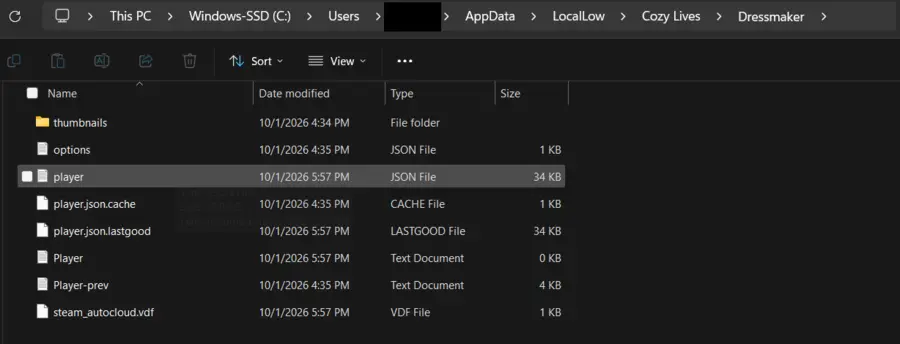
- Paste it into the address bar (circled in the screenshot) and press Enter.
- Open the file named “player”. It is a JSON file. Do not open “player.json.cache” or “player.json.lastgood”.
- Open the file with Notepad or another text editor. You should see the screenshot below.

Step 2: Make a Backup
Always save a copy before you edit a save file. This protects you if the file becomes corrupted.
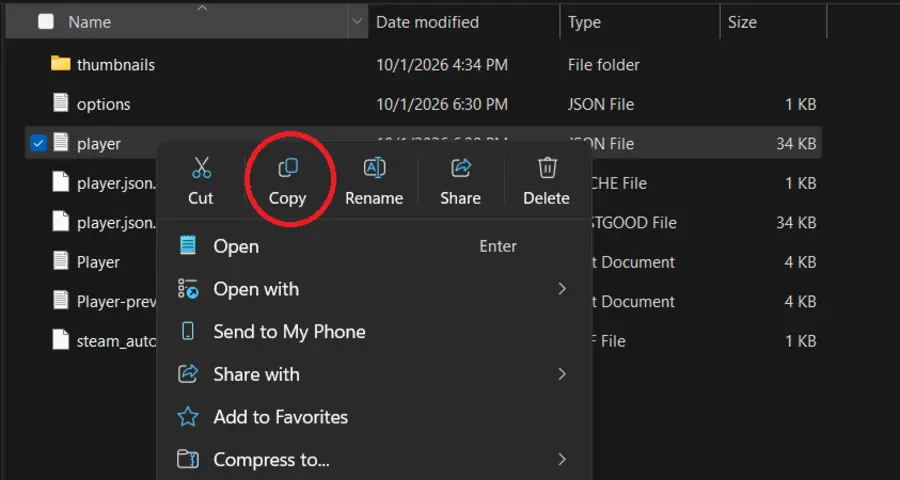
- Left-click the “player” file, then right-click it and select Copy.
- Create a new folder, or choose another safe place.
- Press Ctrl+V to paste the file there.
Step 3: Add Money
- Find the value next to “gold”.
- Change it to the amount you want. For example, 999999.

Step 4: Save Your Changes
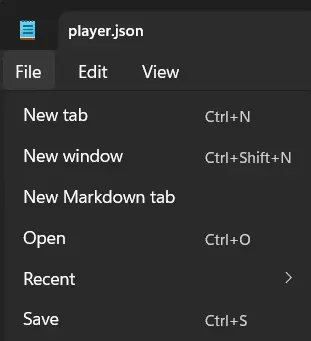
- In your text editor, click File.
- Click Save.
- Open Dressmaker.
- Open your save file.
You now have as much money as you need. If you run out again, repeat the process as many times as needed. You can also give yourself more money at the start.